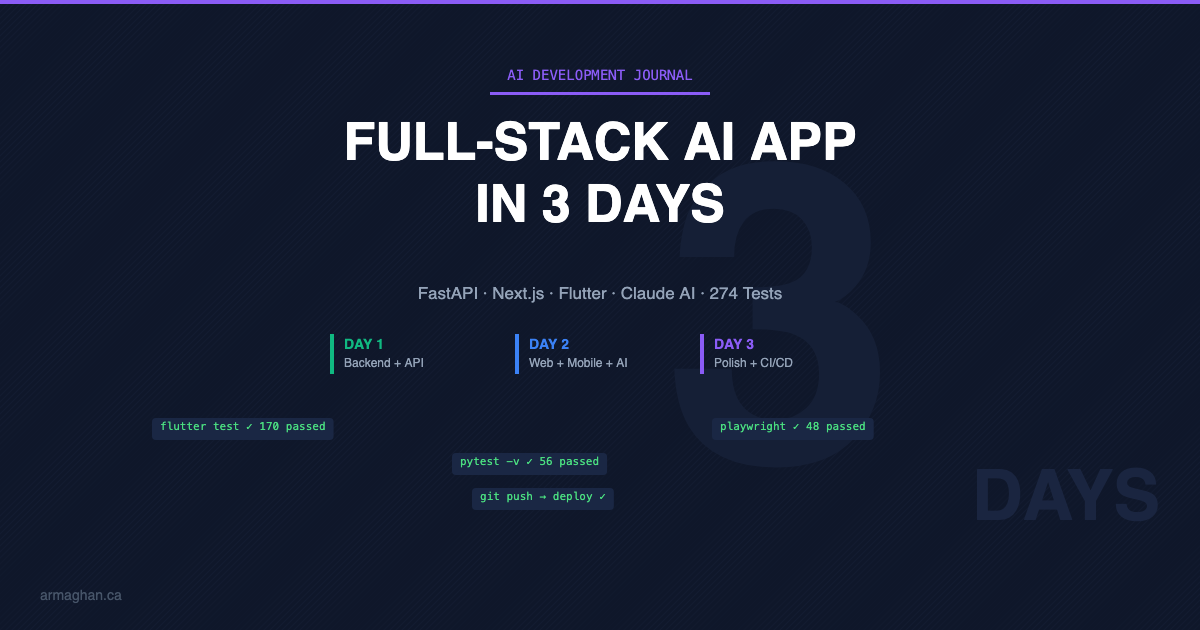
I just shipped a production-grade, cross-platform health application — backend, web dashboard, mobile app, AI-powered insights, 274 automated tests, and CI/CD pipelines — in three days. Not a toy. Not a prototype. A real product. This post is about what that experience revealed about where AI-assisted development actually is right now, and what it means for people building things with AI.
The Project: VitalsBase
The idea was simple: patients get vitals readings — glucose, blood pressure, heart rate — but have zero context for what those numbers mean. VitalsBase closes that gap. It tracks glucose readings against clinically recognized reference ranges, adapts those ranges based on meal context, visualizes trends with color-coded charts, and uses Claude’s AI to explain what the data means in plain language.
The result is a three-platform product: a FastAPI backend with PostgreSQL, a Next.js web dashboard with interactive Recharts visualizations, and a Flutter mobile app for iOS and Android — all sharing a single API and the same AI intelligence layer.
The AI Skills That Made This Possible
This project wasn’t about writing code faster. It was about applying a set of AI skills I’ve been deliberately building over the past year — skills that turned what would have been a months-long team effort into a focused 3-day sprint.
AI-first architecture design. Before a single line of code was written, I used Claude to work through every major decision — database schema, API design, state management patterns, navigation structures, charting approaches. The ability to have a deep architectural conversation with AI, pressure-test decisions, and arrive at a documented plan before touching code is a skill most developers haven’t developed yet. It’s the highest-leverage AI skill I’ve learned.
Prompt engineering for code generation. There’s a massive difference between asking AI to “build me a health app” and asking it to “create a Riverpod FutureProvider that calls a Dio API client to fetch glucose stats, returning a typed GlucoseStats model with null-safe JSON parsing.” The specificity of the prompt determines the quality of the output. I’ve learned to decompose large systems into precise, contextual prompts that produce production-quality code on the first pass.
Multi-model orchestration. I used two instances of Claude working in parallel — Claude.ai for strategy, architecture, and documentation, and Claude Code in the terminal for implementation. Knowing when to use which AI tool, and how to feed context between them, is a workflow skill that compounds with every project.
AI-assisted quality assurance. The 274 tests across three platforms weren’t afterthoughts — they were generated alongside the code, with AI writing tests that actually catch real edge cases. AI-assisted testing, accessibility auditing, and performance optimization are skills that turn “it works on my machine” into “it works everywhere, for everyone.”
AI integration architecture. Integrating Claude’s API into the product itself — with structured prompting, rate limiting, response caching, mandatory disclaimers, and cost management — required understanding how to build AI into products responsibly. This is the skill gap most organizations are facing right now: not whether to use AI, but how to ship it safely.
What 3 Days Actually Looked Like
Day 1: Complete backend — API, database, AI integration, seed data, test suite. By end of day: a fully documented, working API.
Day 2: Web dashboard (7 screens), AI insights verified with real data, then the entire Flutter mobile app (6 screens). By end of day: three platforms running against the same backend.
Day 3: Accessibility audit to WCAG AA, performance optimization, 274 tests across all platforms, onboarding flows, and CI/CD with GitHub Actions deploying to Railway and Vercel.
The Bigger Picture
After 15+ years in enterprise technology, I’ve seen plenty of hype cycles. AI is different. Not because it writes code — that’s the surface-level view. It’s different because it changes the economics of building software. One person with the right AI skills can now deliver what used to require a team and a quarter.
But here’s the part that matters for anyone reading this: AI amplifies expertise, it doesn’t replace it. Every architectural decision behind VitalsBase drew on years of enterprise experience — database design patterns, API conventions, accessibility standards, deployment architecture. The AI made the execution faster. The human made the decisions that determined whether the result would be good.
The professionals who will define the next era aren’t the ones who can prompt AI the best. They’re the ones who know what to build, why to build it, and how to architect it — then use AI to get there 10x faster.
What’s Next
VitalsBase is expanding into multi-vital tracking — blood pressure, heart rate, SpO2, temperature. The architecture was designed for it from day one. I’ll be writing about that build as it happens.
If you’re building with AI — or figuring out how to start — I’d love to connect. Find me on LinkedIn.
This is part of my ongoing series on building with AI. Previous posts cover getting started with Claude Code, building a web app with Claude Code, and vibe coding a WordPress theme.
Frequently Asked Questions
Can you really build a full-stack app in 3 days using AI?
Yes — with the right approach. The key is separating architecture decisions from code generation. AI tools like Claude excel at generating production-quality code when given precise, well-architected specifications. The 3-day timeline included a Python FastAPI backend, a Next.js web dashboard, a Flutter mobile app, AI integration, 274 automated tests, and CI/CD pipelines.
What AI tools were used to build VitalsBase?
Two instances of Claude by Anthropic: Claude.ai for architecture design, decision-making, and documentation, and Claude Code (terminal-based) for code generation across Python, TypeScript, and Dart. The product itself also integrates Claude’s API for generating plain-language health insights for patients.
What are the most important AI skills for developers in 2026?
Based on building VitalsBase, the five highest-leverage AI skills are: AI-first architecture design (using AI for system design before coding), prompt engineering for code generation (decomposing systems into precise prompts), multi-model orchestration (knowing when to use which AI tool), AI-assisted quality assurance (testing, accessibility, performance), and AI integration architecture (building AI into products responsibly with rate limiting, caching, and safety guardrails).
Does AI replace software developers?
No. AI amplifies developer expertise — it doesn’t replace it. Every architectural decision behind VitalsBase required human judgment built on years of enterprise experience. AI made the execution 10x faster, but the quality of the result depended on knowing what to build and how to architect it. The developers who thrive will be those who combine domain expertise with AI workflow skills.